The Tools Behind the Art: My Complete Digital & Film Photography Gear List
There’s a question every photographer gets asked eventually, right after “What camera should I buy?” It’s “What gear do *you* use?”
So welcome to my complete gear list. Whether you’re a spec-obsessed gear head or a curious beginner wondering if you really need that new mirrorless body, I hope this helps. Spoiler: you probably don’t.
Cameras
I don’t believe in a single “best” camera. I believe in the right tool for the right mood.
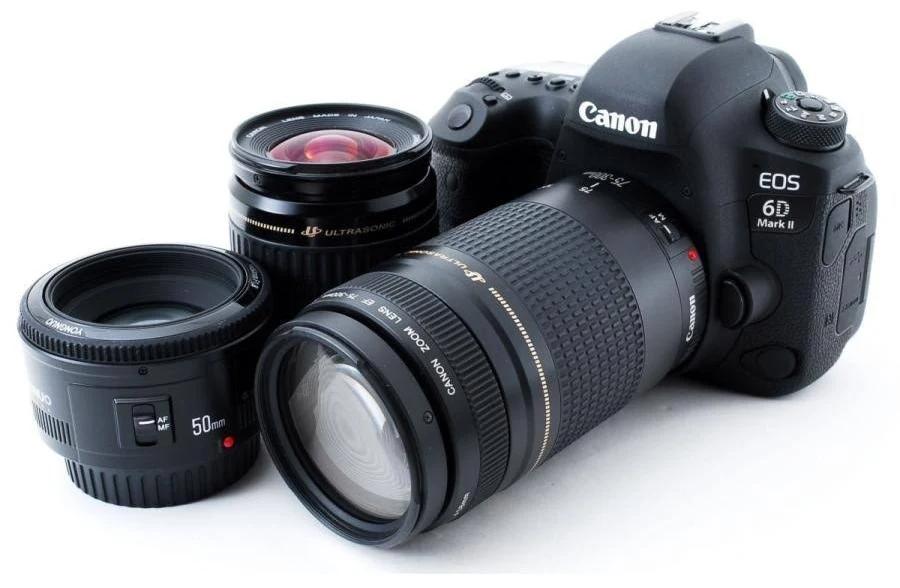
Canon EOS 6D Mark II — My Digital Workhorse
This is what I reach for 80% of the time. The 6D II gets criticised by pixel-peepers for its dynamic range, and yes, you can make its shadows complain if you push them hard. But in the real world? It’s a tank. The 26.2MP full-frame sensor gives me that buttery background separation I love, and the vari-angle touchscreen is a lifesaver when I’m contorted on the forest floor of New Zealand.
Geek note: the Dual Pixel AF in live view is old now, but it’s still more reliable than my own eyes at twilight. I shoot this exclusively in RAW — which leads me to Darktable later.
Canon EOS 700D — The Rebel Heart
My first “real” camera. I keep it because it’s light and relatively unobtrusive. It’s my walk-around camera when I don’t want to care about $2,000 of gear hanging off my neck. It’s also the camera that produced every photo that achieved my LPSNZ — my Licentiate of the Photographic Society of New Zealand. The 18MP APS-C sensor punches way above its weight if you feed it good light.
Lenses — The Actual Magic
- Canon EF 50mm f/1.4 USM — My compact low-light normal prime. Wide open it has character; stopped down it gets sharp. Great for portraits, details, and walking around with almost nothing.
- Canon EF 24-70mm f/4L IS USM — The sensible standard zoom. Constant f/4, image stabilisation, and a useful macro mode at the long end. It’s the lens I take when I don’t know what I’ll meet.
- Canon EF 200mm f/2.8L II — Small, sharp, and deceptively useful. It isolates landscape details and compresses scenes beautifully without the bulk of a zoom.
- Canon EF 70-200mm f/2.8L — The classic workhorse telephoto. Mine is the non-IS version, so shutter-speed discipline matters, but the compression and subject separation are worth the weight.
- Canon EF 70-300mm f/4-5.6 IS USM — The lightweight reach option. Best in good light, and the AF isn’t a sports car, but it’s an easy way to carry 300mm without regret.
- Sigma 10-20mm f/4-5.6 DC HSM — My APS-C ultra-wide. On the 700D it gives roughly a 16–32mm equivalent field of view — great for landscapes, interiors, and making the foreground do the heavy lifting. It’s crop-sensor only, so it lives with the 700D.
Computer Hardware — The Digital Darkroom
RAW files are like film negatives — useless without development. Here’s where I do that dirty work.
- CPU: Intel 8th-gen Core i7, 6 cores. It’s not the latest, but for batch processing in Darktable it’s a quiet storm. The CPU is rarely my bottleneck; RAM and storage usually are.
- RAM: 32GB DDR4. This is the unsung hero. Darktable’s memory usage spikes when you use parametric masks, and 32GB means I never hear swap-file thrashing. If you edit on 16GB, you’ll spend a lot of time closing browser tabs.
- Primary drive: 256GB NVMe for OS and apps only. Fast, but tiny. I install nothing extra here.
- Storage: Multiple external drives — a mix of 7200rpm HDDs and a cheap SATA SSD for a working cache. One drive for RAW originals, one for exports, and a third for backup.
Geek confession: I don’t use RAID. I use “sneaker net” manual copies. RAID is not backup, and my system is stubborn rather than heroic — if you value your files, automate a second copy and keep one off-site.
For the non-geek: my computer isn’t new or shiny, but I fed it more RAM than a gaming PC. That’s the secret.
Software — Open Source, No Apologies
Darktable
Darktable is insanely powerful — it just doesn’t hold your hand. I use the AgX module on almost every edit. It’s my digital fixer. I also lean on tone equalizer, colour calibration, profiled denoise, and parametric masks.
Geek detail: the parametric masks in Darktable are more logical than Lightroom’s range masks — once you understand the pipeline, they’re remarkably precise.
The rest of the toolbox
- Affinity Photo: Pixel-level edits, composites, and the things Darktable isn’t designed to do.
- Hugin: Panorama creation. Free, slightly clunky, and brilliant once it works.
- GIMP with the G’Mic plugin: For when I need a free pixel editor with an absurd number of filters.
- Deep Sky Stacker: Astrophotography image stacking and pre-processing, especially for deep-sky frames.
- Sequator Astrophotography stacking and pre-processing, particularly handy for wide-field nightscapes with a landscape foreground.
- OpenShot: Video editing. I’m not a videographer, but sometimes I need to splice a BTS clip or timelapse. OpenShot is to Premiere what a spork is to a chef’s knife — it does the job and it’s free.
Final Takeaway: Gear Is Just Vocabulary
You can write a boring sentence with a $10,000 Leica, or a beautiful one with a disposable camera. This list isn’t meant to impress you (it's not going to impress the gear-hound) — it’s meant to show you what one photographer actually uses to express himself. The gear is vocabulary. The seeing, the editing, and the choices are the grammar.
Cheers,
Martyn
Digital Art Kiwi